

 Teaching Activities
 Mozilla Clubs
 Maker Party
 Tools
Tools Community
 Teach Like Mozilla
Protect Your Data
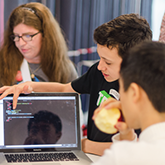
Engage learners around the topic of privacy in this six-part module, developed in conjunction with Hive Toronto and the Mozilla Privacy Team.
Learning Objectives
These activities will help your learners understand how to take control of their privacy in a networked world. Complete the activities in sequence, or mix and match. Visit our discussion forum to get help and share your experience.
Section 1: Reading the Web
IP Tracer
Understanding privacy
Learners explore internet protocol (IP) addresses and create a map to illustrate their associations with individuals, devices, or websites.
Understanding security
Understanding web mechanics
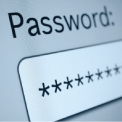
Learners investigate the differences between weak and strong passwords, and create a collage to document bad password practices.
Section 2: Writing the Web
Cookies and Third-Party Tracking
Understanding privacy and open practices
Using a free and open source tool called Mozilla Lightbeam, learners see how cookies and third-party trackers monitor their everyday tasks on the web. Then they divide into teams and race to see who can gather the most trackers.
Draw Secure Passwords
Understanding privacy and security
Learners generate pass-phrases, pronounceable and random passwords based on best practices. Then they create a survey to pass along their knowledge to friends and family.
Section 3: Participating on the Web
Data Trail Timeline
Understanding remixing, privacy
Learners create a timeline, video or slideshow remix to demonstrate how information gets collected by companies and other organizations throughout the course of a typical day.

Privacy Coach
Understanding privacy and open practices
Learners become privacy mentors to their peers by sharing their expertise through discussion or creating their own “recipe” documentation on privacy.
All featured content, unless otherwise noted, is covered under the CC BY-SA 3.0 license.